

Why Use Stripe Projects with OpenRouter?
- One command to get started —
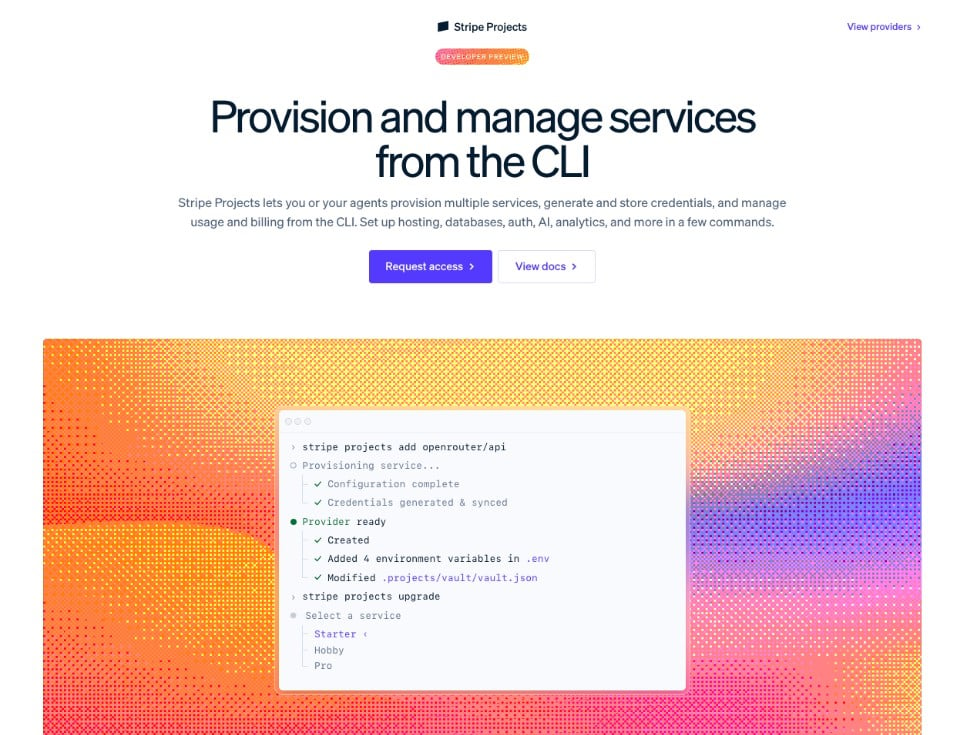
stripe projects add openrouter/apiprovisions an OpenRouter account, generates an API key, and syncs it to your.envfile automatically. - Unified billing — Manage all your infrastructure costs (hosting, database, AI) through a single Stripe account.
- Credential management — API keys are stored in Stripe’s encrypted vault and synced to your local environment. Rotate credentials without touching your codebase.
- Agent-friendly — Stripe Projects writes skill files into your project directory, so coding agents can provision and configure services on your behalf.
Prerequisites
- A Stripe account
- The Stripe CLI installed and up to date
- The Projects plugin installed:
Quick Start
Browse the catalog
List every provider or filter down to OpenRouter before installing:Add OpenRouter to your project
If you already have a Stripe project initialized, add OpenRouter in one step:.env file. By default the service is provisioned on the Free plan — see Plans and billing below to upgrade.
Start from scratch
If you’re starting a new project, initialize it first:Verify your setup
After adding OpenRouter, confirm everything is working:What Gets Provisioned
When you runstripe projects add openrouter/api, the following happens:
- Account creation or linking — Stripe Projects finds your OpenRouter account by email or creates a new one automatically. See Account linking for details on each path.
-
API key generation — A dedicated API key (
sk-or-v1-...) is minted and labeled “Provisioned by Stripe” so it’s easy to identify alongside your other keys at openrouter.ai/settings/keys. -
Environment sync — The following variables are stored in Stripe’s encrypted vault and written to your project’s
.env:
Service Details
| Provider | OpenRouter |
| Service | openrouter/api |
| Category | AI |
| Plans | free (no credit card required) or pay-as-you-go (per-token usage pricing) |
| Pricing | Per-token, varies by model. See model pricing. |
Choose a plan
stripe projects add openrouter/api prompts you to choose between the Free and Pay-as-you-go plans when you provision. The Free plan works without a payment method. To switch plans later, use stripe projects upgrade or stripe projects downgrade:
Managing Your OpenRouter Service
Stripe’sremove and rotate commands accept either the local resource name (e.g. openrouter-api) or the <provider>/<service> reference. Use stripe projects services list to see the exact resource names in your project.
Rotate credentials
If you need to rotate your API key (for example, after a team member leaves):.env file automatically.
Remove the service
To remove OpenRouter from your project and revoke the API key:--only-credentials to forget the local resource without deprovisioning it on OpenRouter’s side.
Sync environment variables
List the project’s environment variables (values are hidden):.env file gets out of sync, pull the latest credentials:
Open the OpenRouter dashboard
Jump straight to your OpenRouter dashboard from the CLI:Account Linking
Stripe Projects resolves your OpenRouter account by the email on your Stripe account:- No existing OpenRouter account — A new account is created inline and credentials are returned directly from the provisioning call. No browser pop-up.
- Existing OpenRouter account — Stripe and OpenRouter complete a headless OAuth 2.0 code exchange (against
POST /api/v1/provisioning/oauth/token) to link your account. No browser pop-up in the common case. - Fallback — In rare cases (for example, an idempotent replay before linking completes), you’ll be prompted to open a browser to finish authorizing the connection. Once linked, the association persists across projects in the same Stripe account.
Plans and billing
OpenRouter ships with two plans through Stripe Projects:- Free — Access free AI models at zero cost. No payment method required.
- Pay-as-you-go — Per-token pricing across 400+ models with no minimum commitment. See openrouter.ai/models for rates.
Using with Coding Agents
Stripe Projects is designed to work with coding agents. When you initialize a project, Stripe writes skill files into your project directory so agents can provision and manage services using the same deterministic CLI. Example prompts for your agent:- “Add OpenRouter to this project so I can call AI models.”
- “Rotate my OpenRouter API key.”
- “What AI services are available in the Stripe Projects catalog?”
--json --yes:
Next Steps
- Quickstart — Learn the basics of calling the OpenRouter API
- Models — Browse 400+ available models and compare pricing
- API Key Rotation — Best practices for credential management
- Guardrails — Set spending limits and model restrictions
- Provider Selection — Control which providers handle your requests